
The following post contains all the question types available in the Authoring Tool. In each, you'll find a brief explanation of how to use it, an explanatory video, and a link to the explanatory post for that question type.
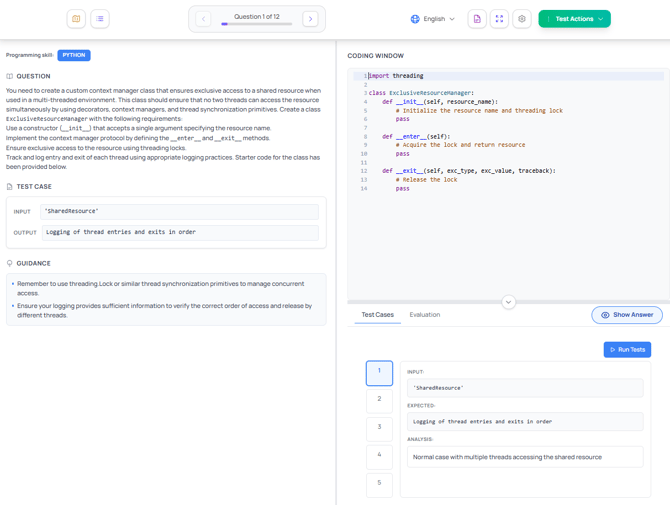
- Coding. In this question type, the candidate needs to write code to solve a programming problem. You can use AI to help you create these types of questions:
- Single choice question. The candidate selects one right answer among all available. The remaining answers will be considered wrong.
- Multiple choice question. The candidate needs to choose two or more correct answers among all available.
- Case study question. Is a detailed scenario with multiple section headings and, possibly, also exhibits.
- Reorder list question. In this question type, the candidate needs to order a list with different statements in the right order.
- Live screen question. This question type presents a base image were to add drop-down menus or checkboxes (or both) for the answers that the candidate should mark.
- Pin question. In this question type, the candidate needs to select a hotspot of the base image (for example, where to find something or do something).
- Content table question. The candidate can create a table with diferent rows. Each row can be a question.
- Tree question. The candidate should match one or more statements with one or more solutions.
- Select and place question. A base image is used with blank spaces to which the candidate needs to drag a drop the answers (graphics).
- Fill in the blank question. The candidate needs to fill in a blank space with the answer. There can be multiple right answers.
- Build list question. In this question type, the candidate needs to choose several answers among all available. In any order.
- Build and reorder list question. The candidate needs to choose several answers among all avaible. In the right order.
- Command line question. The candidate can simulate how to create command lines.