
| ⚠️ This option is only available for online Practice Tests purchased directly from MeasureUp. |
When purchasing an online Practice Test, you choose its expiration period: 30 days, 60 days, or 1 year.
If your Practice Test is nearing its expiration date—or has already expired—and you need more time to use it, you can either extend or upgrade the product.
What’s the difference?
- Extend: Adds extra time (1, 5 or 10 days) to the product by pushing the Valid Until date forward.
- Upgrade: Converts a 30-day or 60-day product into a 1-year online product.
Steps to extend or upgrade a Practice test
1) Log in to measureup.com using your credentials
2) On the left menu, click on MeasureUp Learn
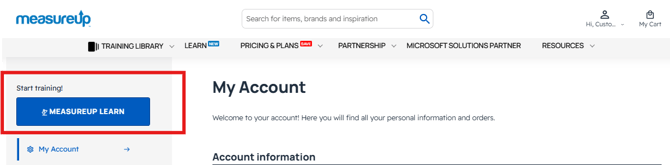
3) On the left menu, click on Training Library.
4) Click the Extend icon
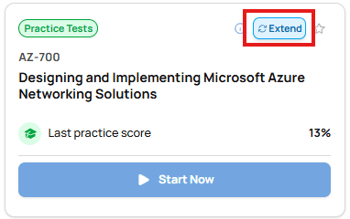
|
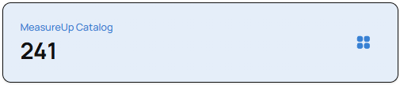
If your practice test has already expired, it will no longer appear under your active tests. To access it, simply click on the MeasureUp Catalog tile and look for it among the available items.
|
5) A new tab will open with the product page on the MeasureUp website.
6) Follow these steps:
- In the Mode Option box, select the desired extension (1, 5, or 10 days), or choose to upgrade to a 1-year online product.
- Enter the Quantity.
- Click Add to Cart, then Proceed to Checkout.
- Choose your payment method, enter your payment details, and click Place Order.
- Once your purchase is complete, you’ll receive an Order Notification with your new product key.
- Register the product key in your MeasureUp Learn.