When you purchase a product, you’ll receive a Product Key in your order confirmation email. This key must be registered in your MeasureUp LEARN within 180 days of purchase.
Products appear in the Training Library as individual tiles. Each product tile displays:
- The type of product: Practice Test, Assessment, CertKit, etc.
- The reference code and product name
- Your latest score when launched in Practice mode
- Your highest score when launched in Certification mode.
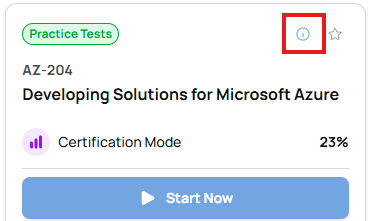
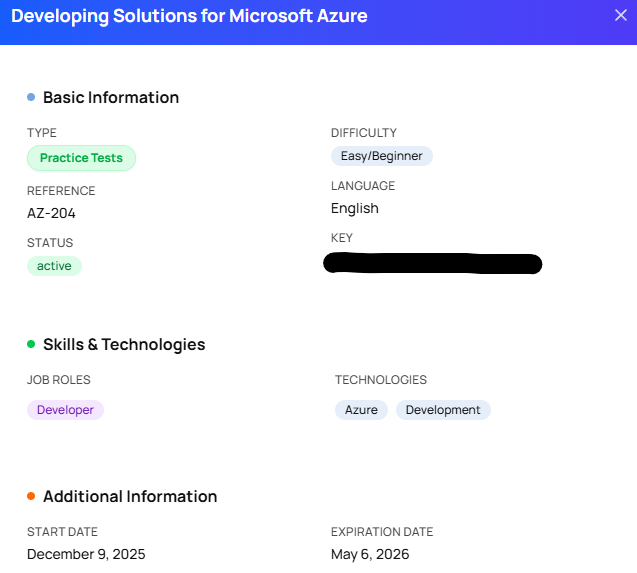
Clicking the information icon opens a window with detailed product information, including:
- Difficulty level
- Target job roles
- Technologies covered
- Start date and Expiration date (after which access to the product will be disabled)